
360s your clients can trust, in a report that's yours
Short, research-based 360s that raters answer frankly. Org360 takes care of the admin: the sending, the reminders and the confidentiality. You get every score and every comment, and add your own coaching on top, in your branding. It all works on the website. Connect Claude or ChatGPT for a few extra powers.
First survey free, plus a finished sample 360 to practise on. No card.
Hi! Have a question about Org360 or need help getting started?
Leave us a message and our team will get back to you!
One app, two ways to work
Run everything on the Org360 website, or connect Claude or ChatGPT and do the same things by asking. Same account, same data. Switch whenever you like.
The classic way, on the website Everything you need, nothing to install.
Send a survey
Pick one of our surveys and edit the questions, or build one from the question bank on Pro. Add your client's raters and Org360 sends the invitations. Or copy the link and send it from your own email. Raters need 5 to 10 minutes.
Manage your survey
See who has replied, send reminders to the people who haven't, and add raters you missed. The report opens once enough people have answered.
Get your report
A standard report with all the data, neatly organized: every score, your client's own rating next to their colleagues', and every comment.
Optional: one click adds an AI summary with strengths, areas to work on and a development plan. Use it, edit it or skip it.
Extra powers, with Claude or ChatGPT Connect Org360 once, then open a chat and just ask.
Send a survey
Paste your questions into the chat, or upload the survey you already use, and it builds the survey for you to check. Paste your raters' names and emails and they're added. Say "send it", and it goes out.
Manage your survey
Ask how it's going: how many people have replied, who's still missing, whether the report is open yet. Ask it to remind the people who haven't answered, or to add raters you missed.
Get your report, and build on it
Ask for the report and say how you want it: your logo, your colors, your layout. Then add your coaching. Type, dictate, paste or upload your advice, the priorities and the development plan, and it works them into the report, as in these 3 examples.
Need the data somewhere else? Ask for a document, a spreadsheet, a CSV or whatever format you use.
Start from Elena's results. End with a report only you could write.
Every free account comes with a finished 360 for Elena Vasquez, a fictional leader, so you can get started before you involve a client. The three coaches below are fictional too. Each began with the same Elena results, the same scores and the same comments, then added their own reading, priorities and plan, in their own structure, voice and branding. Same starting point, three reports that fit three very different practices.
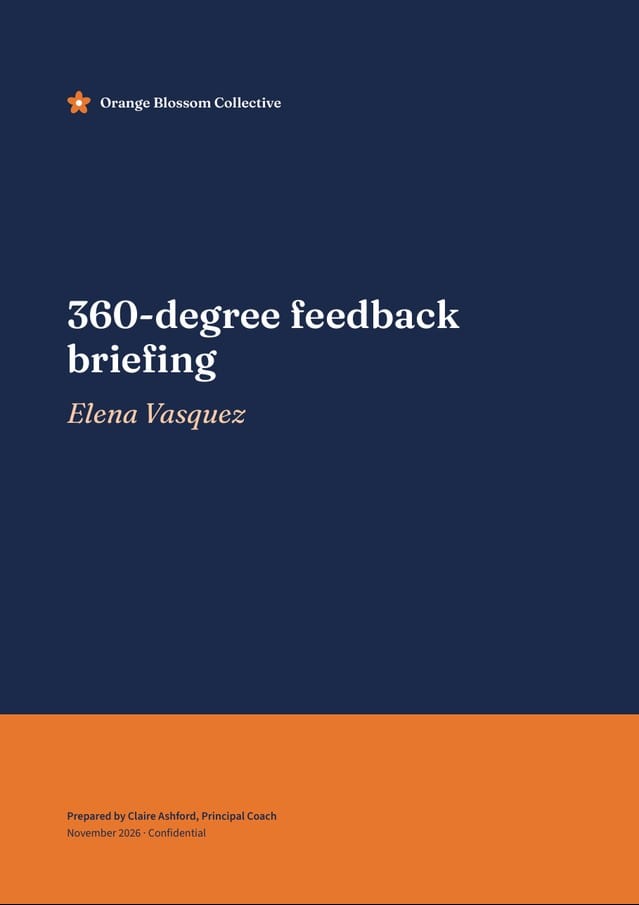
Orange Blossom Collective
Third person and board-ready: a briefing at a glance, the evidence, a proposal on which decisions to keep or hand over, and a 6-month plan.
Open the PDF, 9 pages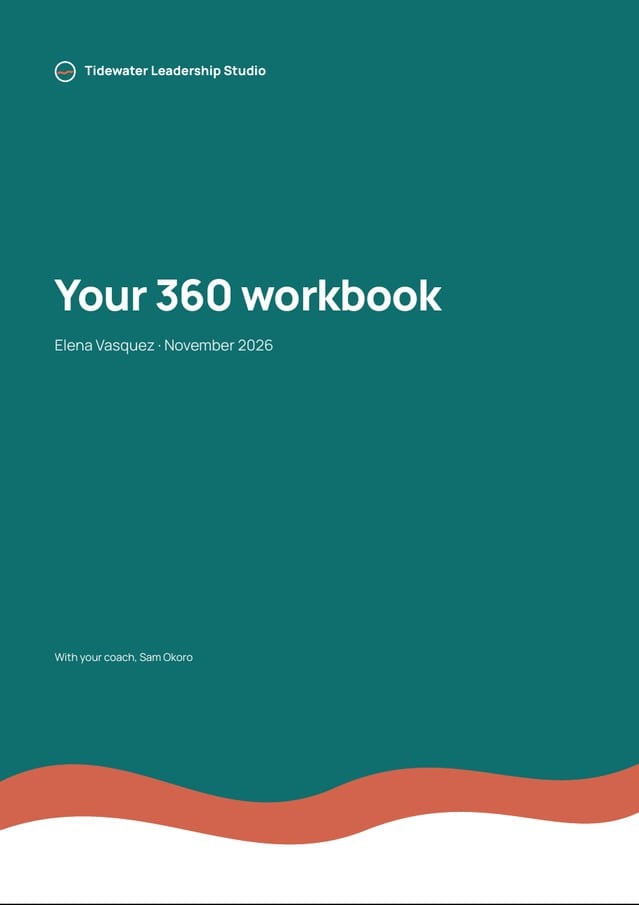
Tidewater Leadership Studio
Written to "you", with space to write, Elena's own words next to her colleagues', a 12-week tracker and 6 sessions.
Open the PDF, 6 pages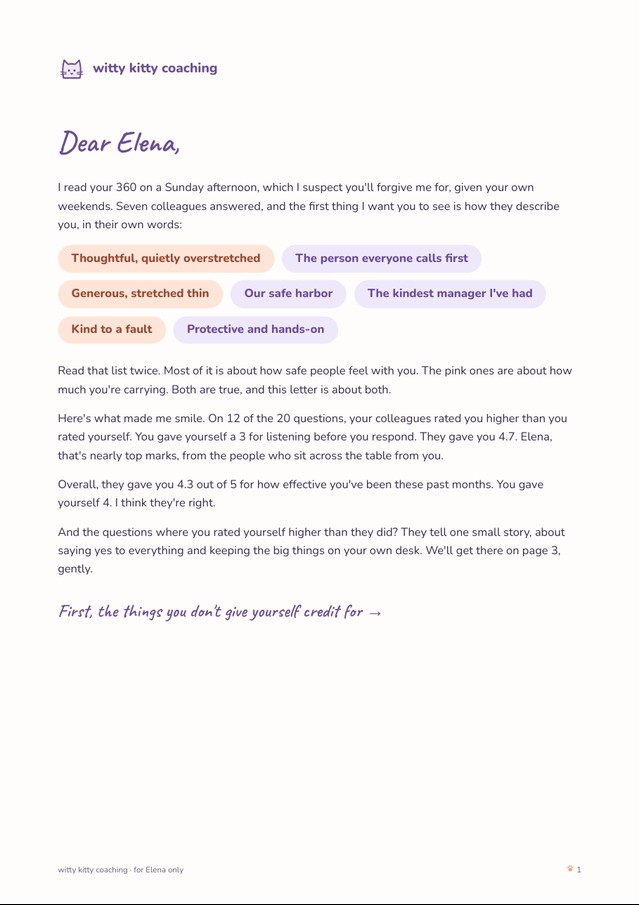
witty kitty coaching
A personal letter, with every piece of advice as a sticky note, and one experiment built on Elena's own advice to herself.
Open the PDF, 4 pagesTry it yourself: open Elena's results in your free account, add your own coaching, and see what your report looks like. See her results
Start with ours, bring your own, or build one from the question bank
Every survey takes raters 5 to 10 minutes, and you choose how confidential the answers are: from names shown, to comments only you see as an AI summary.
Start with ours
360s for leaders and peers, and engagement surveys for their teams. Use them as they are, or reword or hide any question on the website.
- Leadership Pulse
- The Full 360
- Working With Me
- Leading Care, for healthcare
- Team Pulse and Team Health
Bring your own
Connect Org360 to Claude or ChatGPT and open a chat. Paste in the 360 you already use or your firm's competency model, or describe the survey in plain words. In a minute or two, it drafts the survey for you to check and edit.
- Your own competencies and wording
- Any length
- A saved version for each type of client
Build from the question bank
96 leadership questions across 32 competencies. Pick a preset and Org360 suggests a set, then add or remove questions.
- Presets such as Manager, Founder, Senior Leader or Board Member
- Startup, nonprofit or established organization
- 61 engagement questions too
Org360 is for you if...
You're an established coach or a small coaching firm. You have your own way of working, and you'd rather spend your time with clients than on survey admin.
Probably not for you if your clients need a certified, normed assessment such as Hogan or CCL Benchmarks.
Real people, a track record, and your data in safe hands
Made by the team behind Nonprofit Builder
Nonprofit Builder works with 35+ foundations, 1,300+ grantees and 800+ consultants. We built Org360 for our own feedback first, and we still use it.
A small team you can talk to
Daniele, Angelina and Muqaddus. We answer within one business day, and we'll get on a Zoom or Meet call to set up your first survey.
Swiss company, data in Germany
Org360 is run by Nonprofit Builder Sàrl in Coppet, Switzerland. Survey data is hosted in Germany and protected under Swiss and European data protection law, including the GDPR.



"Two 360s changed the direction of my career. I built Org360 so more people get feedback like that: short, safe and honest."
Daniele D'Esposito, founder of Org360 and Nonprofit Builder
Pay per survey, from free
One survey covers one client's 360, with up to 500 raters. No seats, no certification course.
Free
Your first survey, plus Elena's finished sample 360 to practise on. No card.
$49 a survey
Or 4 surveys for $69. No subscription needed.
Essentials, $250 a year
24 surveys a year and a shared workspace for your team. Pro is $490 for 96 surveys, with the question bank and Highest confidentiality. Unused surveys roll over.
Why coaches pick Org360
Coaches usually run 360s one of 3 other ways: a certified 360 assessment tool, a form builder, or an HR suite. Here's how they differ.
| Compared on | Org360 | Certified instruments (Hogan, CCL Benchmarks) | Form tools (Google Forms, SurveyMonkey) | HR suites (Culture Amp, Lattice) |
|---|---|---|---|---|
| Change the questions | Reword any question, or bring your own survey | Fixed | Any, but you start from a blank page | Limited |
| Report in your branding and method | Yes: the full results in your branding, with your coaching added | The vendor's report | No report; you build it by hand | The vendor's report |
| Rater groups, anonymity, reminders | Built in, 3 confidentiality modes | Built in | Do it yourself | Built in |
| Certification needed | No | Yes | No | No |
| Who sees the report | You and your client decide | Usually the coach | Whoever has the file | Often HR and managers |
| Pricing | Per survey, from free | Per assessment, plus certification | Low, but hours of your time | Per employee, per year |
What Org360 is
Org360 is an online tool for 360-degree feedback and employee engagement surveys, built for coaches, small HR teams and nonprofits. It runs short surveys of 12 or 24 questions, protects raters with 3 confidentiality modes, and gives every coach the full results, every score and every comment, to build on. An AI summary is optional. It connects to Claude and ChatGPT, so they can do the setup and the formatting while each coach adds their own reading of the results and their coaching.
The detailed answers
Will the AI write the report for me?
Only if you ask it to. By default you get your results, every score and every comment, in your branding, with nothing interpreted. The AI summary is optional, one click. We built Org360 to support your coaching: the AI handles the setup, the reminders and the formatting, so you have more time to read the results and decide what to tell your client.
What reports do we get?
Your results: every question, with your client's rating next to their colleagues', and every comment. The AI summary, if you want it: an archetype, strengths, areas to work on and a draft plan. And your report: your branding, the results and your own coaching, put together in Claude or ChatGPT, or by hand. See the 3 examples
Can we use our own surveys and competencies?
Yes. Reword any of our questions, build a survey from the 96-question bank on Pro, or bring the 360 and competencies you already use. Connect Org360 to Claude or ChatGPT, open a chat and paste your form or describe the survey, and it sets it up for you to check.
Is respondent anonymity guaranteed?
You choose one of 3 modes for each survey. No confidentiality: the report opens after 1 reply, and you see who wrote each comment. Standard: the report opens after 3 replies, you can't see who wrote the comments, and their order is shuffled in each question. Highest: the report opens after 3 replies, and comments are hidden; only the AI summary is shown.
Can we run everything ourselves?
Yes. You have your own account, and you set up, edit and launch every survey yourself: the questions, the raters, the invitation message, the reminders and who sees the report. On Essentials and Pro, you can also invite colleagues into a shared workspace to work on surveys together.
Can we export the data?
Yes. Export your results from the website, or ask Claude or ChatGPT to put them in a spreadsheet, a CSV or a chart. The live results are always on the Org360 website.
Do you offer white-labeling?
Yes, on the Pro plan. Add your logo once in your account. Raters then see your logo on the survey page instead of Org360's, and the report carries it too. Invitations go out with a custom message from you, or you can share the survey link yourself. How white-labeling works
Which languages do you support?
8: English, Portuguese, Spanish, French, German, Dutch, Ukrainian and Korean. Raters pick theirs, and Org360 translates any question you reword.
Can we pay per use, without a subscription?
Yes. Start with the free account, which includes 1 survey. Then buy surveys one at a time, at $49 each or 4 for $69, or take Essentials at $250 a year for 24 surveys, or Pro at $490 a year for 96. You can add 4 more at any time for $69. See pricing
What support do you offer?
Real people, by email, Zoom or Google Meet, in English. We reply within 1 business day and can set up your first survey with you. Book a call with Angelina
What happens to the data when you use AI?
The optional AI summary uses Claude, and runs only when you click to create it. We send only the survey answers: never respondents' names or email addresses, and names of people and organizations are removed from the comments first. Our AI connection is set so the data isn't used to train AI models. When you connect Org360 to Claude or ChatGPT, the results go into your account there, under your own settings.
Talk to us
Questions about Org360, white-labeling or a plan for your practice? Book a call with Angelina, our CEO.
Org360 also works for HR teams and nonprofits
Feedback without an HR suite
Engagement surveys and manager 360s for companies of 50 to 200 people, priced per survey, not per employee.
Org360 for HR teams NonprofitsMade for mission-driven teams
Leader 360s, staff wellbeing and beneficiary surveys, from the team behind Nonprofit Builder. 40% off.
Org360 for nonprofitsTry it on Elena before you involve a client
Your free account comes with her finished 360. Read the results, add your own coaching, and see what your report looks like. Then send a real survey when you're ready.